Pages

Tuesday, May 20, 2014

Follow the Yellow Brick Road...to the End of Year Countdown!

Phew. Where has the time gone?  The end of the year can be an extremely difficult time--final report cards, end of year conferences, IEP meetings, cleaning up piles of papers that you THOUGHT you checked two months ago which end up going to "File 13", {just me...oh...ok}, and coming up with fun, thought provoking activities for your littles can be as difficult as painting an entire room with a Q-Tip {sorry for the awful analogy, but I have some paint projects going on over here, so that's all I got!}.

Saying you LOVE, The Wizard of Oz, is probably an obvious statement--who doesn't, right?!  However, I'm going to say it anyway... I LOVE the Wizard of Oz!  I never fully appreciated the movie until reading the 1900s novel.  I love all of the "extra" details and new characters, and how they were translated onto the big screen.  And of course, sweet little Toto being an identical twin to my family cairn terrier, Trapper doesn't hurt either :)

My Trapper Boy xoxo <3

Every year I am more and more surprised as to how many of my little ones have NEVER seen the movie~ Kohls Cares had an AWESOME condensed version of the story a few years ago {including matching plush Toto!}  I actually prefer none of my little ones having seen the movie because it's like starting with a blank slate!

I read the Kohls version to my munchkins and it usually takes about 2 weeks--I could honestly make it last an entire month, which I'm thinking I may have to do next year.  There is just a TON of things to do with the story and I never want to leave anything out! I usually piggy pack this unit off of our Fairy Tales, since there are many fairy tale elements that appear in the WOZ.  The kids are always the first to mention that, too :)


Here's a peek at some of the goodness that happened over the course of those two weeks:

Student Cover Sheet for Artifacts Folder 


{this is where they placed all of their materials for the unit--at the end of each week I had them pick out one piece they were most proud of and that was the piece I displayed in the classroom--super convenient for me, and it also gave the students more ownership over their work-WIN/ WIN!}

I also blew this up to poster size and hung it on the door for the duration of our unit--just made it a little more "magical!"

Wizard of Oz Vocabulary

This book provides some pretty tough vocabulary for primary age students.  In this pack, I have included some helpful vocabulary you might want to go over each day prior to reading.  

I wrote the vocabulary here on post it notes so I wouldn't have to change the paper every day, just the post its!  


The students used these recording sheets to record today's vocabulary.  Much like we did HERE, they stopped me as they heard the word in the story, so we could back up, reread, and infer what the word meant.  They did an unbelievably good job with this!!!  


They then summarized the day's events using this handy dandy sheet.
**These two sheets were copied back-2-back so the vocabulary matched the summary.
I also copied and pasted it into a smart board file to make it a little easier for the little ones to see and to help write the main idea and three corresponding details for the day.  Towards the end of the unit, they were doing this on their own--it was tough--but they did it!!

GUESS MY SLIPPER--Inferencing cards: 

Students match the clues to the correct slipper


"Wizard, Grant My Request!" Point of View Writing


Poppy Webquest :) 

 THEY LOVED finding out so much info on Poppy Flowers!


You can find the WebQuest link HERE

Wizard of Oz: Board Game


 Complete with Character Figures :)

{Use a handy dandy clip to make your pieces stand and move easily}

The set they are playing here is inferencing edition--a comprehension set is also included to play at the end of your unit or upon the completion of the story

Wizard and Wicked Witch Visualization!

The book gives AWESOME clues about these two characters, so I never show them the picture until after they complete their visualization.  If they've never seen the movie, you'll get a kick out of their visualizations :)  You can even use these to differentiate, too!


Winged Monkeys Commands {Fantasy & Reality}


Wizard of Oz Apps played on the smart board through the powerful DONGAL!


Tornado Research! 

We needed some nonfiction in all of the fiction and fairy tale we were surrounded by!  They used my Nonfiction Research Pack used HERE, just tweaked a bit to make it a little more independent this time around.  After looking through several Tornado books,  I added a link to our class webpage to help with researching.  We are getting in the habit of using 3 sources to research.


Sharing our books {in the sun of course} :)


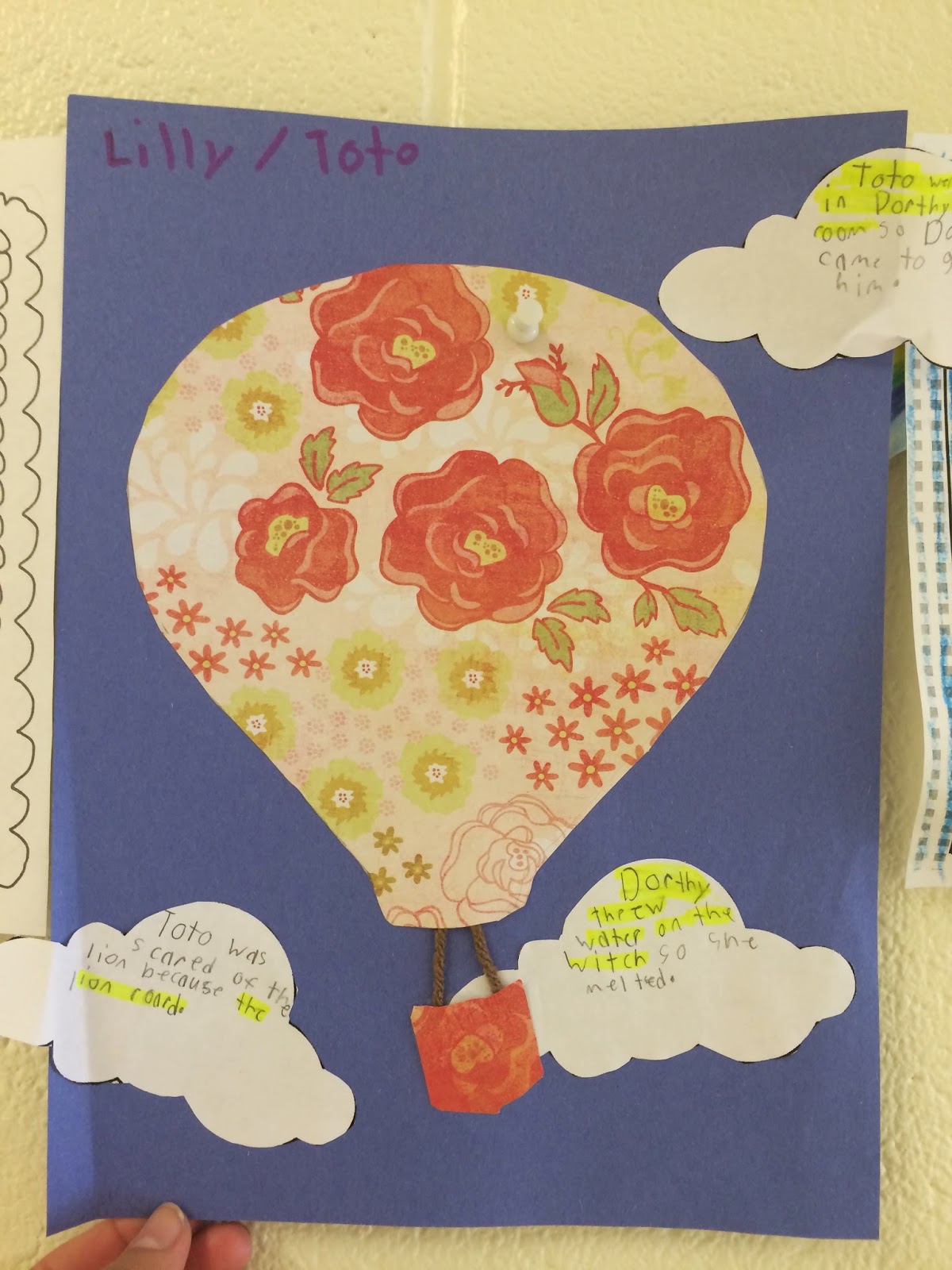
Cause and Effects Hot Air Balloons:

Students wrote cause and effect sentences {practiced using connecting words to make this happen rather than using a T Chart}.  Students then highlighted the causes in each sentence.  

LOVE the creative thought going behind the "swinging" of the basket in the wind <3

Character Request Cause and Effects: If you Give a Mouse a Cookie Style

Students wrote what will happen if you give a "certain character" their request in the format of another one of our favorite book series, "If you Give a Mouse a Cookie."
**These are leveled to help your LL students out.  The HL learners could fill in the blank with anything they wanted {as long as it was TRUE from the story}.


Wizard, Give Me _______: Creative Writing Activity

Students chose what they would wish to have from the Wizard and what they would do with it <3 They were so adorable {I was too busy gushing over them I only snapped this one photo!}


I DO Have a Heart: Tin Man Writing

Students drew and wrote about what their heart was filled with!
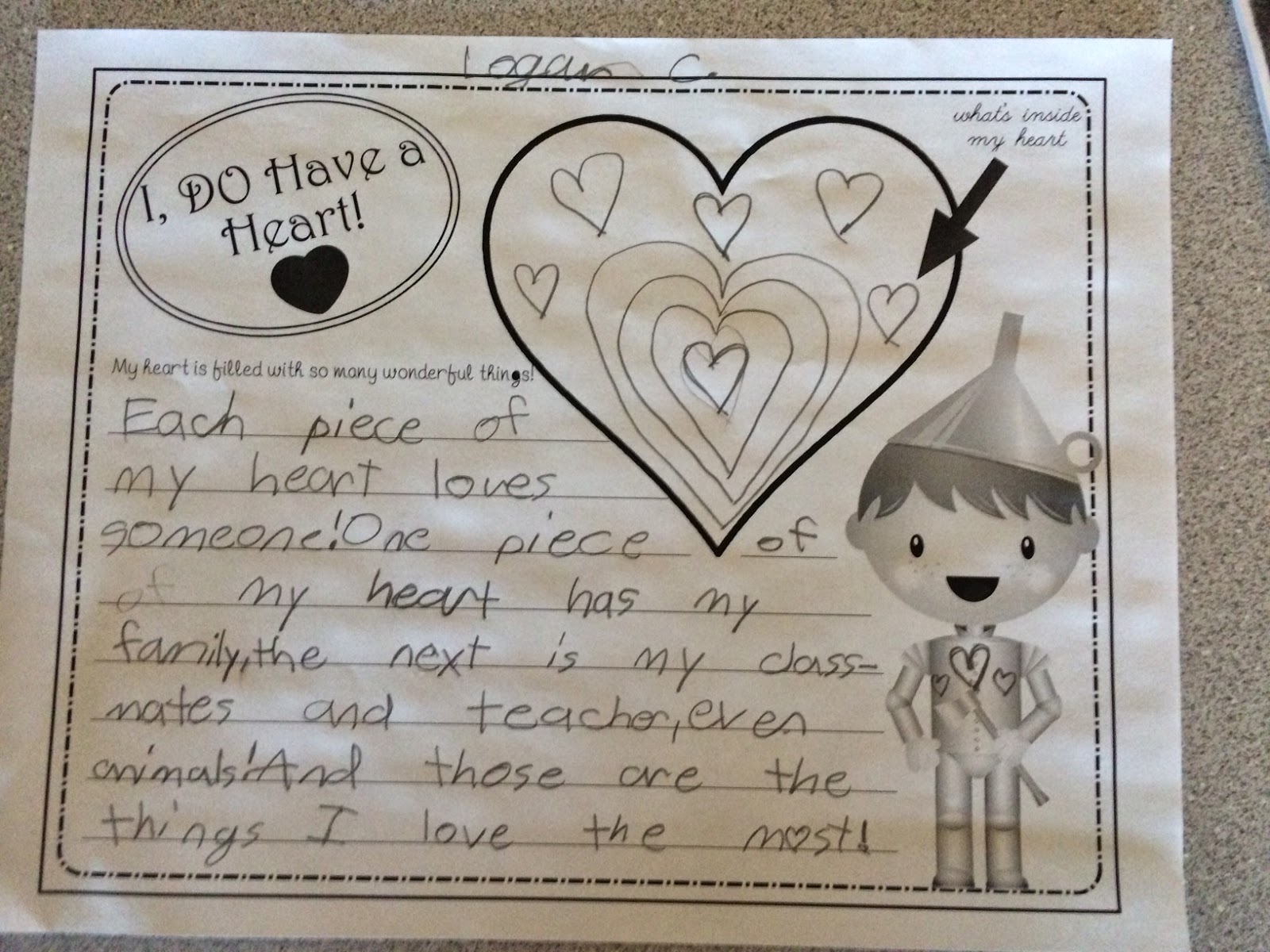
Apparently, his is filled with more hearts :)

Before and After Reading Inventory of the story

We did one of these at the beginning and end of the unit to show how much we've learned along the Yellow Brick Road :)


Quotation Marks with Calendar Months:

Totally forgot to snap a photo of this activity, BUT I glued each month {picture} on a large piece of chart paper.  The students traveled around and wrote something that character might be saying or thinking {from the photograph} using quotation marks appropriately.  


After we've read the entire novel, we celebrate by having a WOZ celebration with games, food, and of course the MOVIE!  I always bring in my Wizard of Oz memorabilia for my friends to admire {this is important to do at the end of the unit so they have a full appreciation for whatever it is you're showing them!}

#truth


Pin the <3 on the Tin Man--

this was so much fun and they loved watching everyone take turns...I MAY or MAY NOT have guided them in the wrong direction for a little extra added fun :) hehe

Are they not precious?! They begged if they could dress up for the party--like I could say no to these faces :D

My sweet baby Toto xoxox

 I even let them use my Jim Shore Wizard of Oz Figures to play the Comprehension Game 
{two sets of game cards included in this pack--one comprehension & one inferencing}


Sorry, horrible picture!


The Food

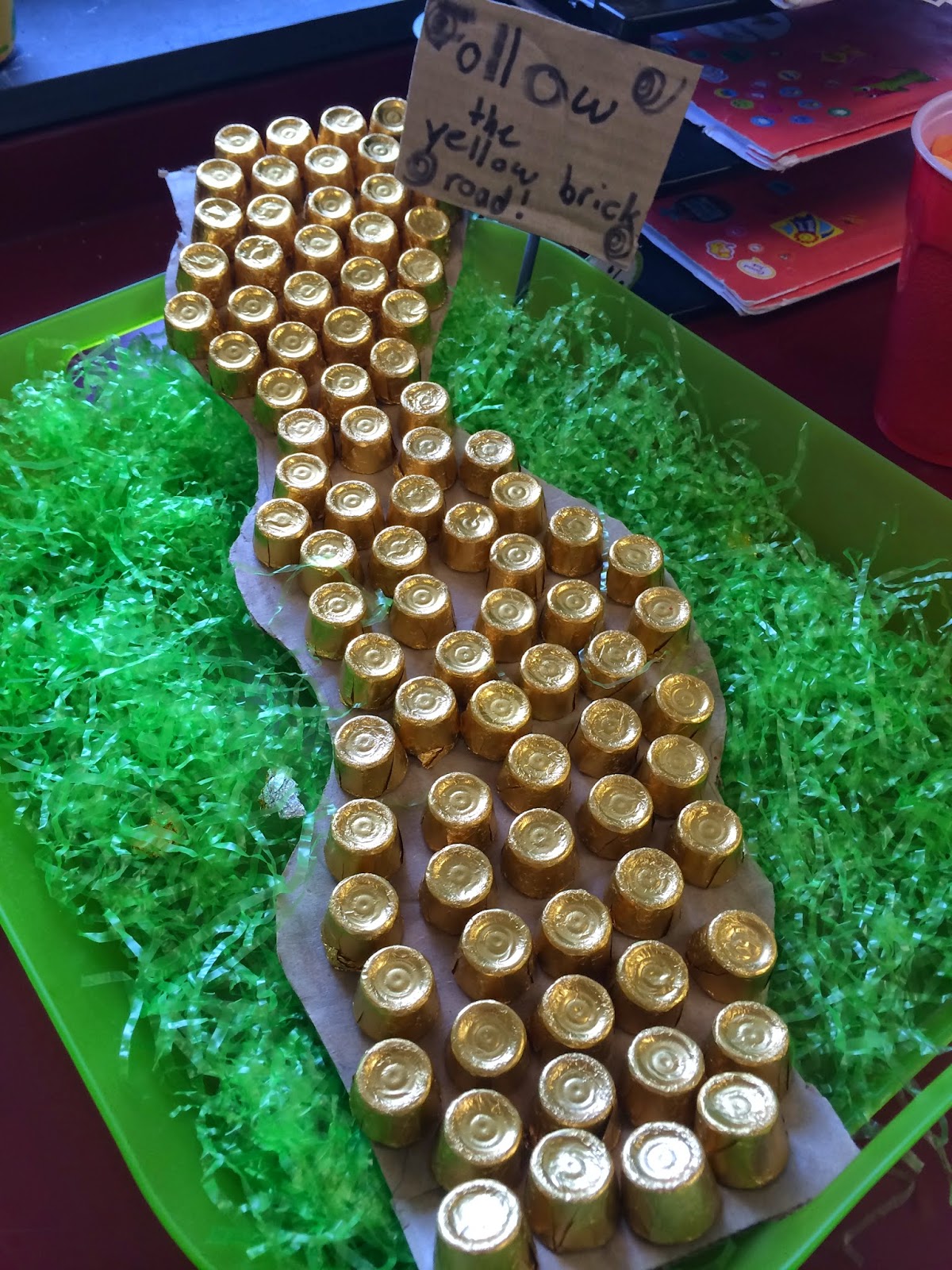

Somewhere Over the Rainbow Goldfish


Everyone needs some Liquid Courage right?!


Buffet Style :)

There is SO much fun that went along with this unit--we are STILL doing some Oz activities! They love it and honestly, I don't want it to end!!!  

Get your 103 page unit HERE for some end of the year engaging goodness:


 With the new "animated" movie coming out in a few days, I'm thinking next year I may start with the movie version, read the book, and then watch the new animated movie at the end of the unit.  I know as I read the book aloud {to them}, I always think back and relate it to a part of the movie, and I'm thinking that might work for them as well to build their comprehension, since it is a bit of a higher level book.

This unit includes so much more {including a few math actives with measurement and word problems, too }!  It will certainly keep your little ones engaged and what a great way to end the year! I promise you they will LOVE it!


Follow the Yellow Brick Road my friends to the land of SUMMER!



Wednesday, April 23, 2014

We all need a {Brain} Break Sometimes...

Spring Break.  I'm fairly certain it was thought up by a group of extremely exhausted teachers who needed a "mental health" day week as to prevent a one flew over the cucukoo's nest sort of incident.  Just coming off of Spring Break, I can tell everyone is feeling REFRESHED!  The weather is beautiful and we are on the downward slope to the end of the school year!

#truth

I find myself saying this to my sisters every year...

...and this to my husband.

I don't care what grade you teach, what subject you teach, or what your classroom make-up consists of... EVERYONE needs a BRAIN BREAK {or several} throughout the day. I have incorporated brain breaks into our daily classroom routine {morning exercise after calendar, in-between  each Daily 5 rotation-we do three rotations/ day, before we start our math class, and if we have time at the very end of the day}.  I know that sounds like a lot, but I think "Brain Breaks' got a bad name somewhere along the way. Your break doesn't have to be 10 minutes, or even 5 minutes, just a little something to get the kids up, moving, and refreshing their sweet little minds, and maybe us teachers' too! :)

I'm sure everyone has a Pinterest Board FULL of these fun little breaks to have on hand at a moments notice.  However, sometimes those breaks are WAY too long, they are linked to Youtube which may or may not be blocked at that moment in time, or the lyrics/ video is a tad inappropriate for your little ones--we've all been there, right? No? Just me? Ok great...

GoNoodle is a FANTASTIC website that is designed to get kids up and moving throughout the day!  Quickly set up your class, and start the goovin'!  You earn minutes along the way so you can see how long you have exercised together as a class!  The kids love seeing how much they can accumulate in a weeks time.  Some things you need to pay for {in the form of a membership} but you honestly aren't missing out if you take the freebie.


They break it down by category, too so you can mix up the type of breaks you're doing throughout the day.  It even shows how long the break lasts incase you're short on time {I swear I will be on time for lunch before the year is up!}.


Fun little variety going on here!
**The videos above are linked to Youtube, which may be blocked for some school servers


If you teach multiple classes, don't worry, there is a setting for that, too. :)


If you chose to do one of the "Run with Us" breaks, an Olympic athlete teaches the kiddos how to do the task at hand, as well as talks to the kids about the underlying "lesson", which is really sweet. <3

Of course, we have some educational ones as well if you need to put these in your plans :)


My favorites are the "Calming" breaks--it's all about breathing exercises and using your muscles in a controlled way.  The entire room is in full ZEN when we do these babies!


It's always fun to mix it up with a Just Dance on Youtube from time to time, but these are great little breaks to do when you just need a little KICK in your step {or perhaps if your friends are doing a little too much kicking of their own when you rather they not be}.

On a "Melt my Heart" teacher moment note, one of my students entered the Young Author's contest held each year in our County {and then across the state}.  This year's topic was "My happily ever after..." which of course was right up my alley because of my slight Fairy Tale obsession.  I always make this project optional since we really don't have the time to do a writing piece of this caliber in class.  She submitted her essay to me with the title, "Second Grade is a Fairy Tale." Of course I couldn't wait to read it!  This is what she wrote:


She ended up being a county winner, and I couldn't have been prouder of her.  I think as teachers, we sometimes get too caught up in the politics of it all {since it seems like politics are always catching up with us}, but this was a beautiful reminder that WE as teachers, are affecting these precious little minds and feelings every.single.day.  Of ALL the things to write about, she chose her teacher. >3
**I think I'm going to have her be a writer for my back to school pamphlet for next year, since she explained pretty much everything you need to know about our classroom perfectly :)

Ok, my mushiness is over!!  Time to head over to GoNoodle for some "calming" exercises now :) Happy Hump Day!


Wednesday, April 9, 2014

It's Gettin' "Kahoot" Up In Here!

Technology.  It's everywhere. We use it, our kids use it {probably more than we would like them to}, that being said, it's a great way to get kids engaged in a lesson or activity.  Most of us {teachers} are lucky enough to deliver a lesson with a trusty Smartboard by our side--{if you aren't, get started on grant writing ASAP}.  Using the Smartboard is a great way to get kids interacting with the skills we want them to learn and apply.  I don't know about you, but I'm all for "Working Smarter, Not Harder," and when I think about using a Smartboard in the way it was DESIGNED to be used, it seems like tedious and time consuming work, hence the reason why most people use it as a glorified white board.  Whelp, this week's "non-app" is here to end your Smartboard stress, and let me just say, it's a KAHOOT!!!!

Kahoot is an AMAZING interactive website that is designed to be used in conjunction with technology.  It is very similar to SmartResponse {also known as the "clickers" to most of us in the education world} but is SOOOOOOOOO much easier and you DON'T even need a Smartboard to play! Here's how it works...

1. CREATE an account and a KAHOOT of your choice.  You can also choose from thousands of Kahoots already made {be sure you look at the questions and answers prior to playing with your kiddos--I've found a few with inaccurate information}.  You can choose to create a discussion, quiz, or survey.  It is SO simple to create!  You can include pictures, videos, and other forms of clipart by dragging and dropping!

2. LAUNCH Get your students equipped with technology.  This can include iPads, laptops, smartphones, etc.  Any devise that has internet capability.   I am happy to say YOU DO NOT NEED TO MAKE USERNAMES AND PASSWORDS FOR YOUR STUDENTS!  Simply LAUNCH the Kahoot you wish your play.  A "code" will appear at the top of the screen for your students to type into Kahoot.it .  Once they've done so, and "joined game", they can create a nickname.  This I LOVE because we will sometimes play it in tables, so they can create a table nickname, or we will play on our own so they can create a nickname of their choosing!  *Disclaimer: If you give them the nickname option, there is no telling what they will come up with.  It's actually kind of scary. YOU HAVE BEEN WARNED!  Once everyone has joined the game, their "names" will appear on the screen.  A total number will appear off to the side so you know how many students have joined.  Once everyone is set, you are ready to PLAY!


Now, are those faces of some excited little nuggets?! I think so!!


3. PLAY- Here is where the fun begins!  The question will appear on the front of your screen/ Smartboard for the students to read (the first few times we played, I read the questions aloud).  After about 5 seconds, the answer choices will pop up on the screen along with a shape for each answer choice.  All the students will see is the shape on their device, not the actual answers.  The students will need to match the shape to the correct answer. It takes one or two questions to get used to it, but once they do, it's all downhill from there! Some totally awesome "Who Wants to be a Millionaire" type music plays while the timer counts down {for the designated time you set--I usually do 30 seconds}.  Once everyone has answered, the timer stops, revealing the right answer.  Once this happens, two magical "teacher" things occur at once:

A. The words, "RIGHT" or "WRONG" as well as a bright GREEN {for right} or ORANGE {for wrong} appear on the student's device.  If we are playing alone, I have my kiddos sit in the front of the room with the device in their lap, so I can quickly see who got the answer RIGHT and who got it WRONG {by the color shown}. *I've been keeping a clipboard with me while we play to make a quick note of the kids who need some reteaching so I know who to pull for small group instruction that day.

B. A bar graph indicating the number of students who chose A,B,C, and D displays, quickly telling me if I need to explain the answer to that question or if we can move on to the next one.  This is very similar to the Smartresponse, but it's much more fun to look at!  Points are also awarded to students based on how fast they answer and the accuracy of their responses.  The points awarded are a ridiculous number which of course, adds to the fun! I think by the end of a round we had someone with 300,000 points (great way to tie in math, isn't it!?)


Look at that student engagement :)


Your little ones can even give you feedback on the quiz!  **This view is the preview option which is great when explaining Kahoot for the first time, or previewing an "already made" Kahoot.

This website is SO much fun and it's a great way to do some reviewing before a test or pretest! I had my kids create one of their own for the class to play and it was so awesome!  They had to develop and write a question based on a skill we were learning that week, as well include four possible responses for their classmates to choose from.  They then handed them into me, which I typed into KAHOOT on their behalf.  We played the student made Kahoot in our tables and they were so excited!

I encourage you to try this website out for yourself and play a game or two with your little ones.  The look on their faces is priceless and I promise you 100% of your students will be engaged in what you're doing!  If you aren't convinced, see the pictures above. :)  


Wednesday, April 2, 2014

What's App: Relaxation Edition

Ok, so I don't know about any of you, but my body is aching for spring break--last year our break was three weeks earlier than what it is this year, and it's evident down the hall--  So, I thought this was the perfect week to bring some rest and relaxation into the mix...welcome to "Relax App!"


I recently purchased Relax App from the App store to help me fall asleep at night.  My husband doesn't appreciate the "bright light" {as he so dramatically puts it} from the TV, so I started watching TV on my iPad, since it seems next to impossible for me to fall asleep in a quiet/ ill-lit room.  Well, even that wasn't cutting it for him, so being the wonderful, sweet wife that I am {insert southern smile here}, I decided to do a quick search via iTunes for a white noise type app-- I have used a white noise machine in the past to help with this same problem, and it really was wonderful and oh so relaxing.  For $1.99 I got a soft, soothing, massage-esque type music with a very soft glow of tiny little particles dancing around my screen.  Not gonna lie, it DID keep me up at first because I couldn't stop playing with the screen and watching all the different things you could do depending on the amount of fingers you put on the screen!

Example--One finger:

Two fingers:

Three fingers:

Four fingers:

I haven't quite been able to figure out the five fingers, but I know there has to be SOMETHING!

So how does this apply to the classroom?  Let me tell ya...

A few weeks ago I had hooked up my iPad to the smart board for us to play an Inferencing Game together as a class.  While everyone was getting ready for the game, I had a few snoopers analyzing all the apps I had that might be appealing to them...


"Oooooh, what's 'Relax App'?" one of my little nuggets asked.  "Oh my goodness, it's the best thing ever!" I replied.  "Do you want to see it?!" "YYYEEEESSSS!!!!!!!" they shouted in perfect unison.

If you would have walked into my room at that specific moment in time, you would have thought I had hypnotized 21 {8 year olds}. It was hilarious to see, and also a little creepy.

We now use this app during any type of assessment and/ or assignment that requires a great deal of focus and attention.  They were, at first, intrigued by the different swirls and images you could make, which I thought might distract them, but it really just brings an overall calmness and relaxation into the room.  I also put it on our classroom iPads so they can explore during their free time.  I've even had one of my little one who has trouble "calming down" in the afternoon, sit with it for a few minutes before we start math class.

This is the DONGLE--love that word-- I use to hook my iPad up to the Smartboard--plug the sound cord into the headphone jack and you are good-to-go! So simple and soooooo much easier when you are explaining new apps or assignments you have for them via the iPad-- get yours HERE!

Try it out, even if you don't plan on using it in the classroom!  It really is a relaxing way to end {or start} your day!